Download the bc666 App — Bangladesh's Best Mobile Gaming Experience
Download the bc666 app and enjoy cricket betting, slots, and Live Casino from anywhere. It installs quickly on both Android and iOS, with Mobile Pay and Nagad payments supported directly within the app. This page covers the download steps, device compatibility, and tips specifically for users in Bangladesh.

Quick Answers About the App Download
Android users can download the bc666 app by grabbing the APK file directly from this page — no Google Play Store needed. iOS users can add it to their home screen via Safari (Add to Home Screen) and use it as a web app. Once installed, simply log in or register to access all games and betting features right within the app. Deposits via Mobile Pay and Nagad can be made directly in the app without opening a separate browser. The app runs fast on Bangladesh's 3G/4G networks and uses minimal data.
Installation Complete in Just Four Steps
Both Android and iOS methods are covered step by step below.
Download & Install on Android
Tap the Download button
Tap the "Download Android APK" button at the bottom of this page. The file will be saved to your phone's Downloads folder. Works on both mobile data and Wi-Fi.
Allow unknown sources
Go to Settings → Security → Unknown Sources and turn it on. This only needs to be done once for the bc666 APK installation. You can turn it back off afterward if you prefer.
Open the APK File
Tap the bc666.apk file in your Downloads folder and press "Install". The installation completes in just 30 seconds.
Log In or Register
Open the app and log in to your account. New here? Registration only takes a few minutes — then you're ready to play right away.
How to Add on iOS (iPhone/iPad)
Open Safari
Open bc666.click on Safari on your iPhone or iPad. The "Add to Home Screen" option is not available on Chrome or other browsers, so Safari is required.
Tap the Share Icon
Tap the share icon (square with an arrow) in the bottom toolbar. A menu will appear showing various sharing options.
Tap "Add to Home Screen"
Scroll through the menu, find "Add to Home Screen", and tap it. Keep the name as "bc666" and tap the "Add" button at the top.
Launch from Your Home Screen
You'll now see the bc666 icon on your home screen. It works like a full-featured web app — with fullscreen display, fast loading, and offline cache support.
What's Inside the App
The bc666 mobile app has everything the website offers — and then some.
Live Cricket Betting
Bet on Bangladesh, India, Pakistan, and international cricket matches with real-time odds. Enable push notifications to get alerts before a match starts and place your bets quickly. Live scores and stats are available right inside the app.
500+ Slots & Table Games
The app's game library features over 500 slots, roulette, blackjack, baccarat, and Teen Patti. Games load quickly and deliver a smooth experience even on slower connections. New games are added every week and are available on the app first.
Live Dealer Casino
Enjoy a Live Casino experience with real dealers via live video. The app supports HD video streaming and runs without buffering on a 4G connection. Active tables are available around the clock in Bangladesh.
Mobile Pay and Nagad directly
Deposit and withdraw directly from the app using Mobile Pay, Nagad, or Rocket. Minimum deposit starts at ৳100, and most withdrawals are processed within 15 minutes. All payments are fully encrypted and secure.
App-Exclusive Bonus
Playing games on the mobile app earns you an extra 5% bonus points on top of your regular points. There are also weekly app-exclusive free spins and cashback offers. For more details, Rewards page here.
Push notifications
Pre-match alerts, new promotions, and deposit and withdrawal confirmations are sent directly to your phone. You can customize which types of alerts you receive from the notification settings. Never miss an important offer.
Device & System Compatibility
| Device type | Minimum version | Installation method | Special features |
|---|---|---|---|
| Android Smartphone | Android 6.0+ | Direct APK Download | Push notifications, offline lobby |
| Android Tablet | Android 7.0+ | Direct APK Download | Large screen layout, multi-window |
| iPhone | IOS 14+ | Safari PWA (Add to Home) | Fullscreen Mode, Fast Cash |
| iPad | IPadOS 14+ | Safari PWA (Add to Home) | Tablet-Optimized Interface |
| Mobile Browser | Chrome 90+ / Firefox 88+ | Direct Browser Access | No installation required |
Real experiences from users across Bangladesh
From Chittagong to Rangpur — how bc666 is being used across Bangladesh.

Live Betting by the Sea in Chattogram
Users in Chattogram say they can easily place bets on live cricket matches right from the beach using the bc666 app. The app runs lean on mobile data and won't drop mid-game even on a weak connection. With solid 4G coverage around the Chattogram port area, Live Dealer sessions run without a hitch. Local users especially rely on the app's live odds feature during Bangladesh vs India matches. Winnings can be withdrawn via Mobile Pay in just a few minutes — one of the biggest reasons bc666 is so popular among users in the area.

Double the Fun with Football & Cricket from Bogura
The bc666 app is gaining steady traction in Bogura, northern Bangladesh — especially among young users interested in football and cricket betting. The app runs smoothly across both rural and urban areas of Bogura, as it's optimized for low-bandwidth connections. Local users say the Bengali-language navigation makes the experience completely hassle-free. You can place live bets on European football matches at night and withdraw your winnings via Nagad the very next morning. These conveniences make bc666 just as appealing in a town like Bogura as anywhere else.
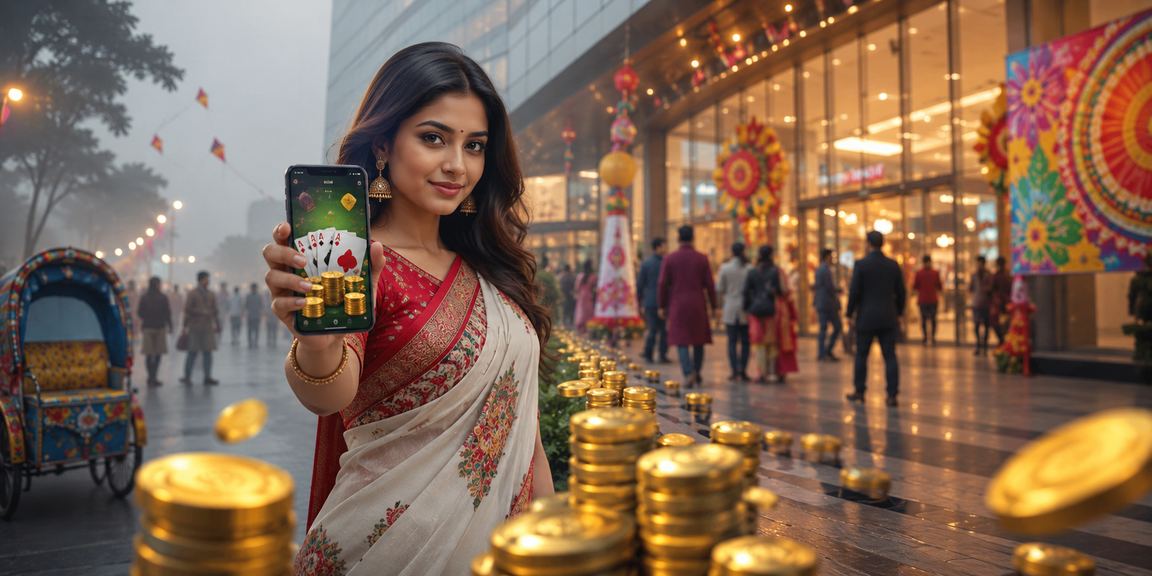
Teen Patti during the festive season in Rangpur
During Pohela Boishakh and Eid seasons in the Rangpur region, demand for Teen Patti and Rummy on the bc666 app surges significantly. On festival days, the app hosts special tournaments with extra prize rewards. Rangpur users particularly appreciate that the app performs well even on low-end smartphones — running lag-free on devices with as little as 2GB of RAM. The referral bonus feature, which rewards users for inviting friends, has played a major role in growing the app's user base across the region. To view full bonus details, Rewards page Visit now.
Tips for the Best Mobile Experience
Get the most out of the bc666 app on Bangladesh's mobile networks.
What to do on a slow connection
If your mobile data is weak, go to the app's settings and enable "Low Data Mode". Video quality may drop slightly, but gameplay and betting will continue without interruption. Even on a 3G connection in rural areas, the app's core features work normally.
Tips to save battery
For long gaming sessions, lower your screen brightness and use the app's dark theme to save battery. Closing background apps also helps bc666 run more smoothly. Note that Power Saver mode may delay push notifications, so turn it off during important matches.
Keep the App Updated
Bc666 regularly releases updates with new games, improved security, and bug fixes. If you see an update notification when opening the app, connect to Wi-Fi and update right away. Your account balance and gaming history remain fully intact after every update.
Keep your account secure
Enable two-factor authentication in the app to keep your account secure. Avoid making payment transactions over public Wi-Fi. Never share your login details with anyone, and always use a strong password.
Full Interface in Bangla
The bc666 app is fully available in Bengali, designed specifically for users in Bangladesh. Menus, buttons, help text, and payment instructions are all in Bengali. To change the language, go to the app's Settings menu and select Bengali.
24/7 Support Access
If you run into any issues, open the Live Chat support within the app — help is available in Bengali any time, day or night. For answers to common questions, FAQ Page See answers to the most frequently asked questions.
Payments & Transactions on the App
Bangladesh's most popular mobile banking services, integrated directly in the app.
How to make a deposit
Making a deposit on the bc666 app is simple and the whole process takes about two minutes. Tap the "Deposit" button in the bottom menu, then choose your preferred payment method. Funds sent via Mobile Pay, Nagad, or Rocket are credited to your account instantly.
- Mobile Pay — Minimum ৳100
- Nagad — minimum ৳100
- Rocket — Minimum ৳200
- Bank Transfer — Minimum ৳500
How to Withdraw
To withdraw your winnings, go to the "Withdraw" menu in the app, enter the amount and your payment number. In most cases, funds reach your mobile banking account within 15 to 30 minutes. To find out about the daily maximum withdrawal limit, Terms & Conditions Page here.
- Mobile Pay — instant processing
- Nagad — within 15 minutes
- Rocket — within 30 minutes
- Bank — 1–2 Business Days
Download Now & Claim Your Bonus
Download the bc666 app, register today, and claim a special welcome bonus on your first deposit. Android users can download the APK directly from this page; iOS users can add it to their home screen via Safari. Millions of users in Bangladesh are already on bc666 — come join them.